Web Accessibility Testing

AI-Powered Web Accessibility Testing on Real Devices & Browsers

Powered by axe-core for automated WCAG, ADA & 508 web audits — plus real screen reader validation on 5,000+ mobile devices.


Accessibility Testing Demo Pcloudy
TRUSTED BY SECURITY-CONSCIOUS ENTERPRISES
ADBC logo Amadeus logo Bank Islam logo DBS Bank logo Etihad logo Federal Bank logo Franklin Templeton logo HE Healthcare logo Jio logo LIC logo LLBC logo MGM Restaurant logo Philips logo Prevado logo SAB logo Standard Chartered Bank logo Schlumberger logo Single Life logo Suncost logo ADBC logo Amadeus logo Bank Islam logo DBS Bank logo Etihad logo Federal Bank logo Franklin Templeton logo HE Healthcare logo Jio logo LIC logo LLBC logo MGM Restaurant logo Philips logo Prevado logo SAB logo Standard Chartered Bank logo Schlumberger logo Single Life logo Suncost logo

WCAG 2.2

Full Compliance

5,000+

Real Devices

2

Screen Readers

<2min

Full Audit

Why Web Accessibility Testing Matters

1B+ people live with disabilities. Inaccessible apps exclude users and create legal risk.

Manual audits are slow, inconsistent, and miss critical issues at scale
Emulators can't replicate real screen reader behavior on actual devices
WCAG & ADA violations found post-launch lead to lawsuits and costly fixes
axe-core-powered WCAG scans across every browser — violations caught in seconds
Real-device screen reader testing with VoiceOver & TalkBack on actual mobile hardware
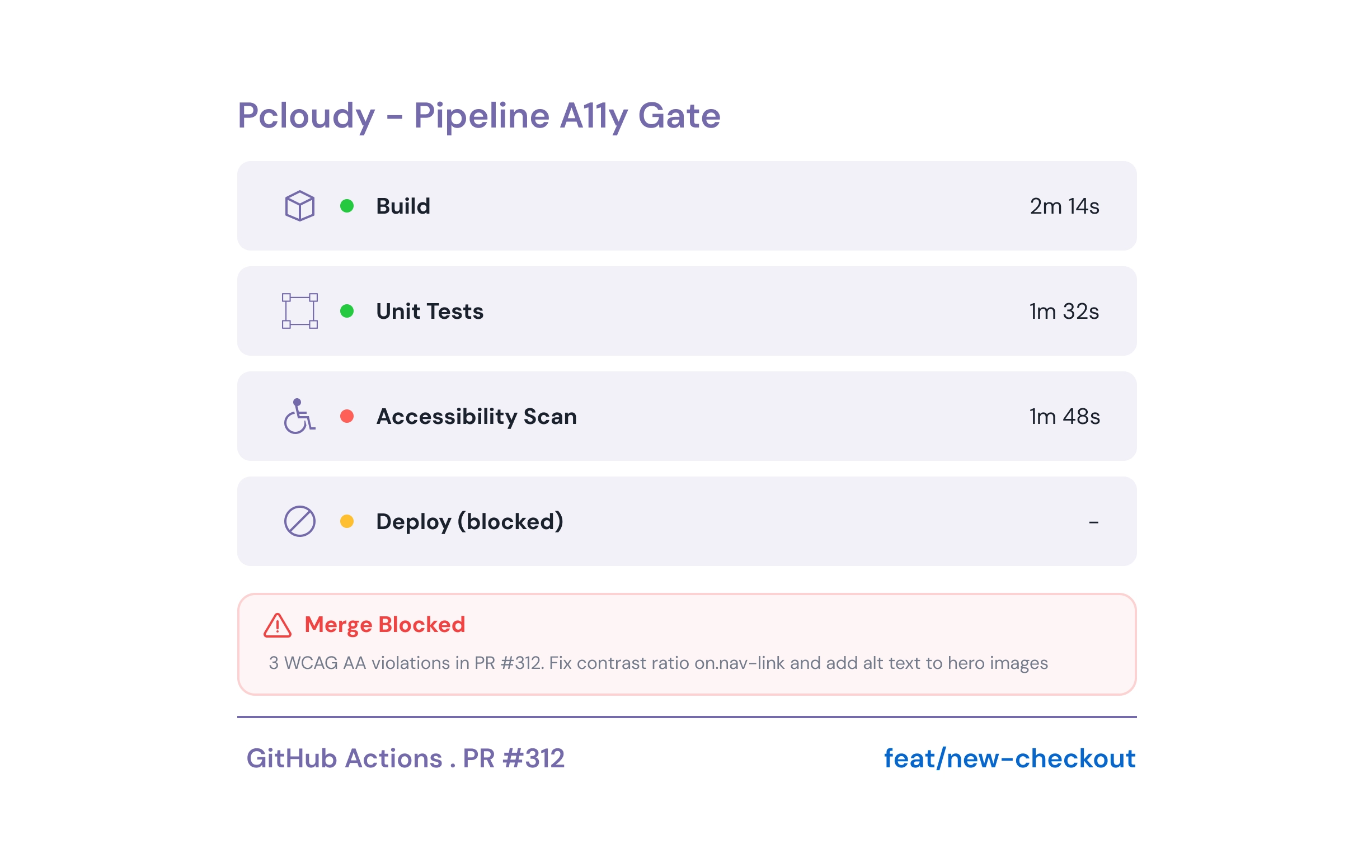
CI/CD accessibility gates block non-compliant code before production

How to Test Accessibility of a Website

From WCAG scanning to screen reader validation — here's how to test accessibility of a website with Pcloudy in four steps.

01

Launch Browser Session

Pcloudy spins up a real browser on cloud infrastructure and loads your page.

02

Inject axe-core & Scan

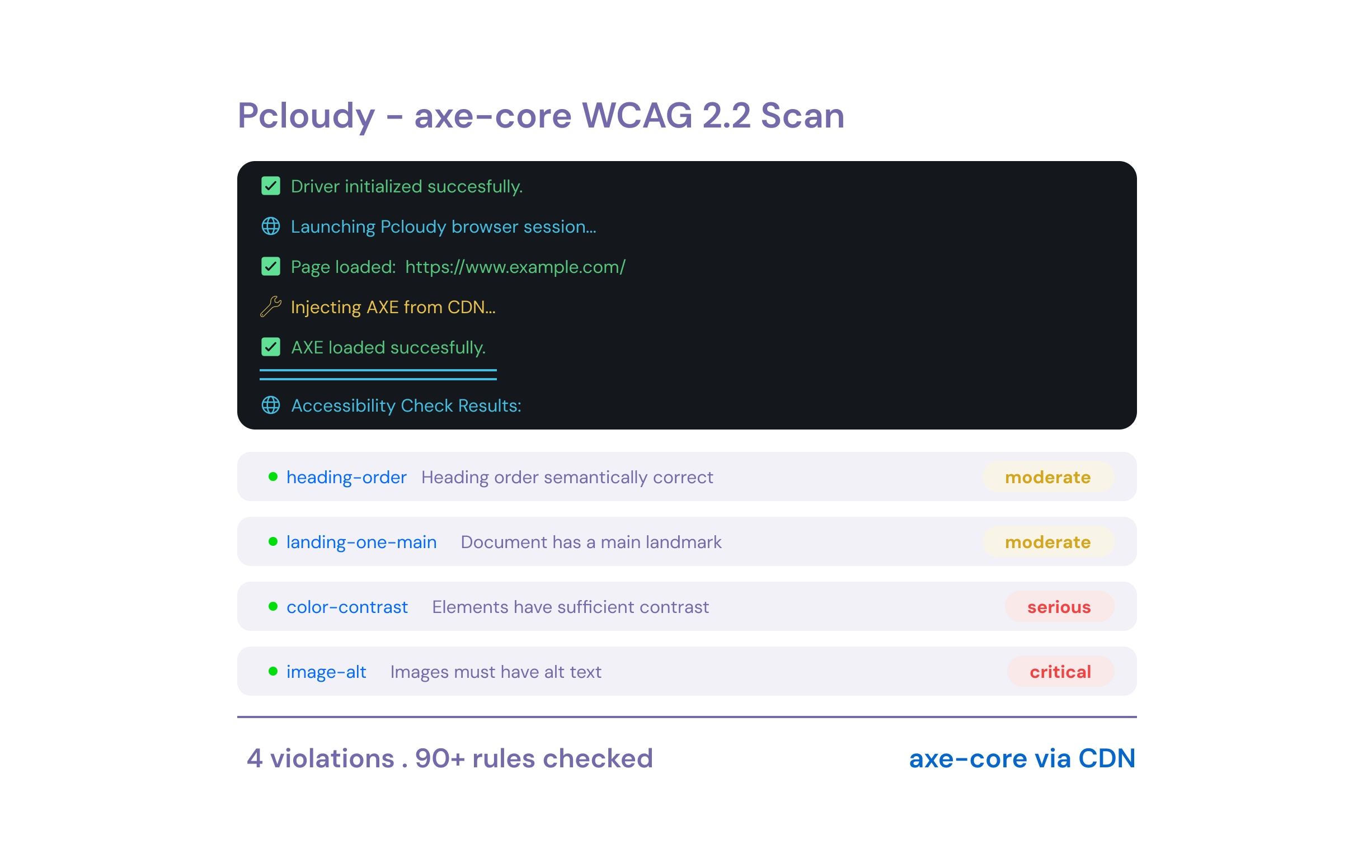
axe-core is injected via CDN, runs 90+ WCAG rules, and returns violations with rule IDs & impact levels.

03

Screen Reader on Mobile

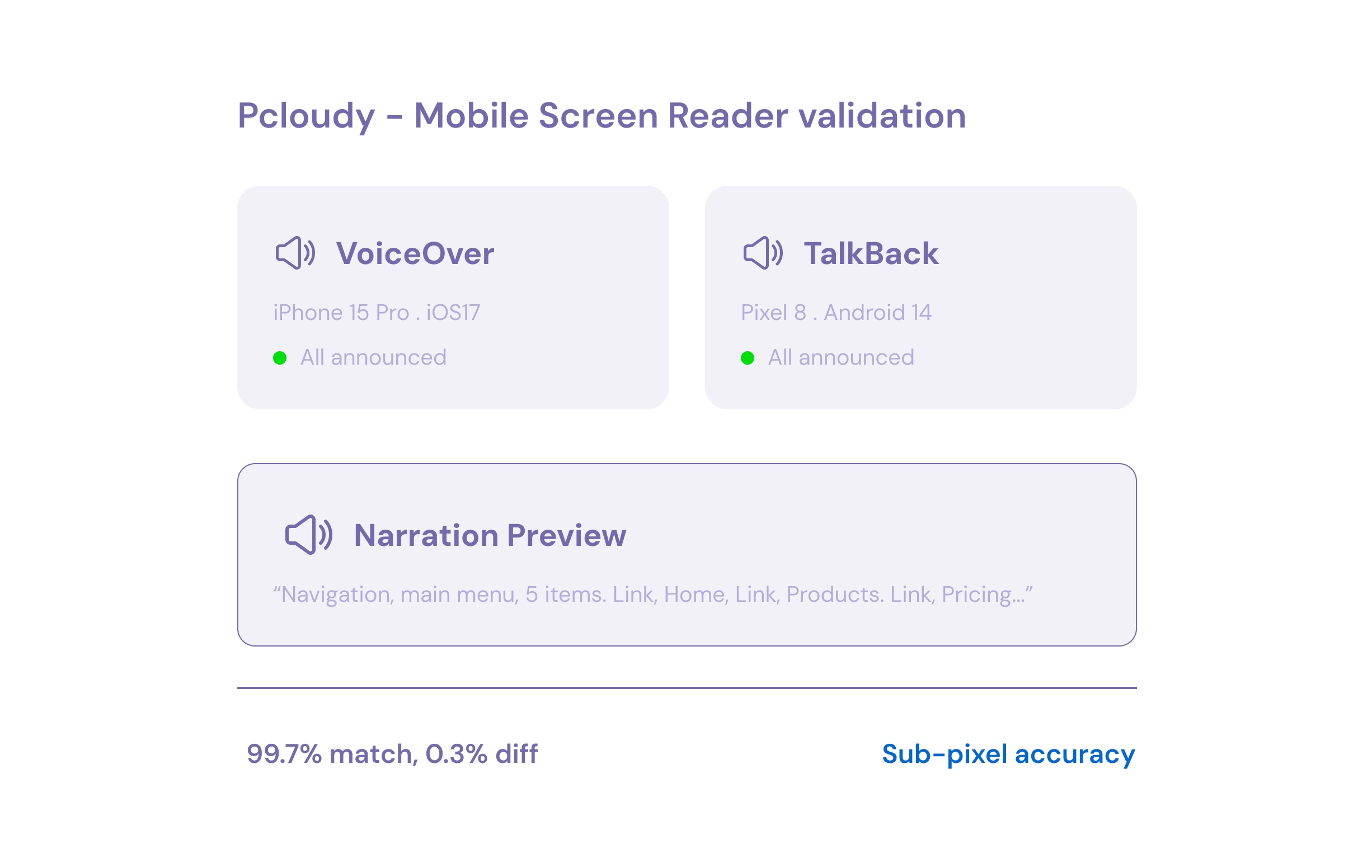
Run VoiceOver (iOS) & TalkBack (Android) on real devices to validate announcements.

04

Report & Gate in CI/CD

Get per-violation details (id, description, impact) and block non-compliant PRs automatically.

Accessibility Testing Capabilities

axe-core automation for web WCAG audits + real-device screen reader testing for mobile — everything you need in one platform.

axe-core WCAG Compliance Scanner

Built on the axe-core engine — automated full-page audits against WCAG 2.2 A, AA & AAA with instant pass/fail reports and fix guidance.

pcloudy.com/a11y/axe-scan
UI Interaction

Screen Reader Testing on Real Mobile Devices

Validate VoiceOver (iOS) & TalkBack (Android) on real mobile hardware — the only way to catch what emulators miss.

pcloudy.com/a11y/screen-reader
UI Interaction

Color Contrast Analysis

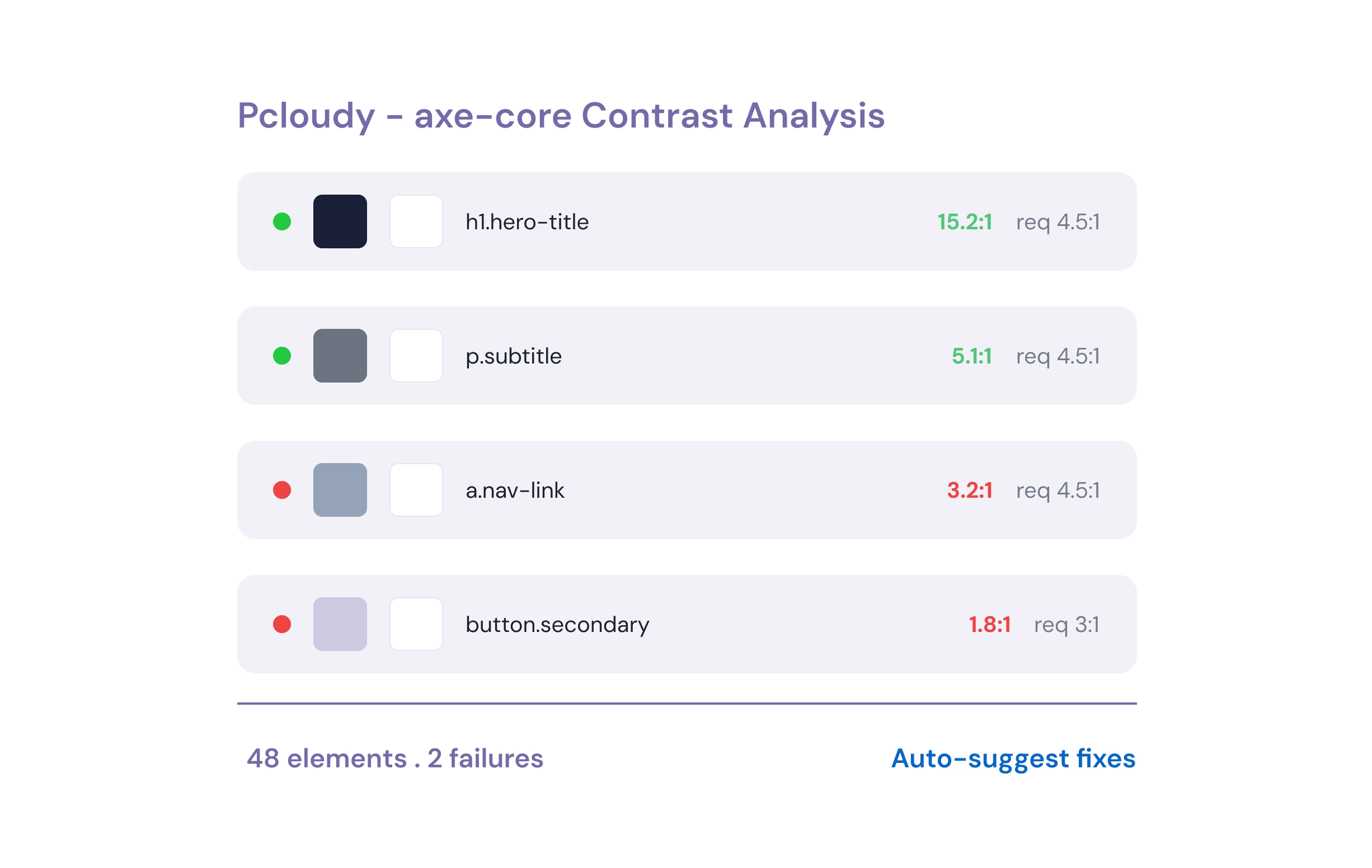
axe-core auto-checks contrast ratios against AA (4.5:1) and AAA (7:1) thresholds — flags failures with element-level detail.

pcloudy.com/a11y/contrast
UI Interaction

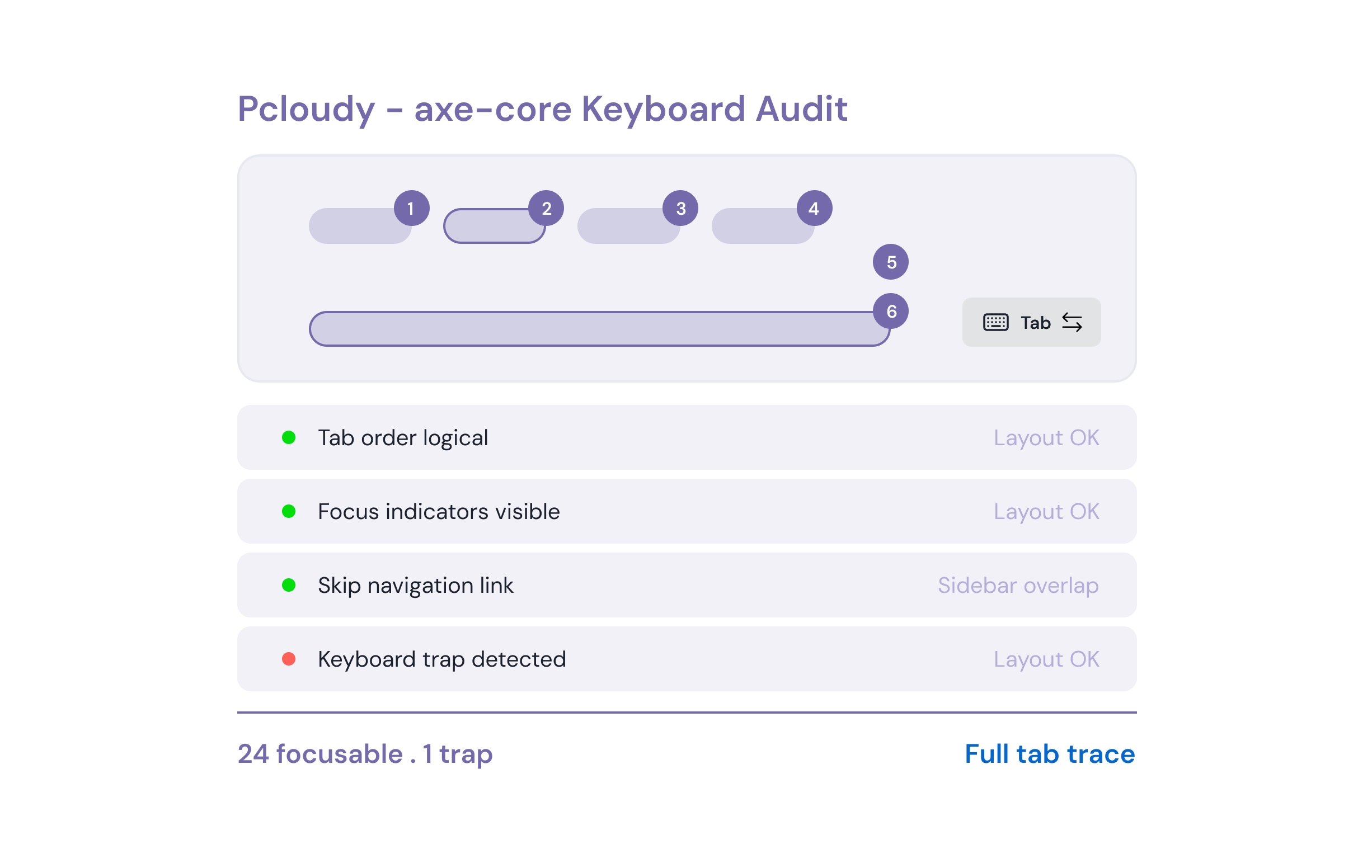
Keyboard & Focus Audit

axe-core validates tab order, focus indicators, keyboard traps, skip links & interactive element operability.

pcloudy.com/a11y/keyboard
UI Interaction

ARIA, Landmarks & Semantic HTML

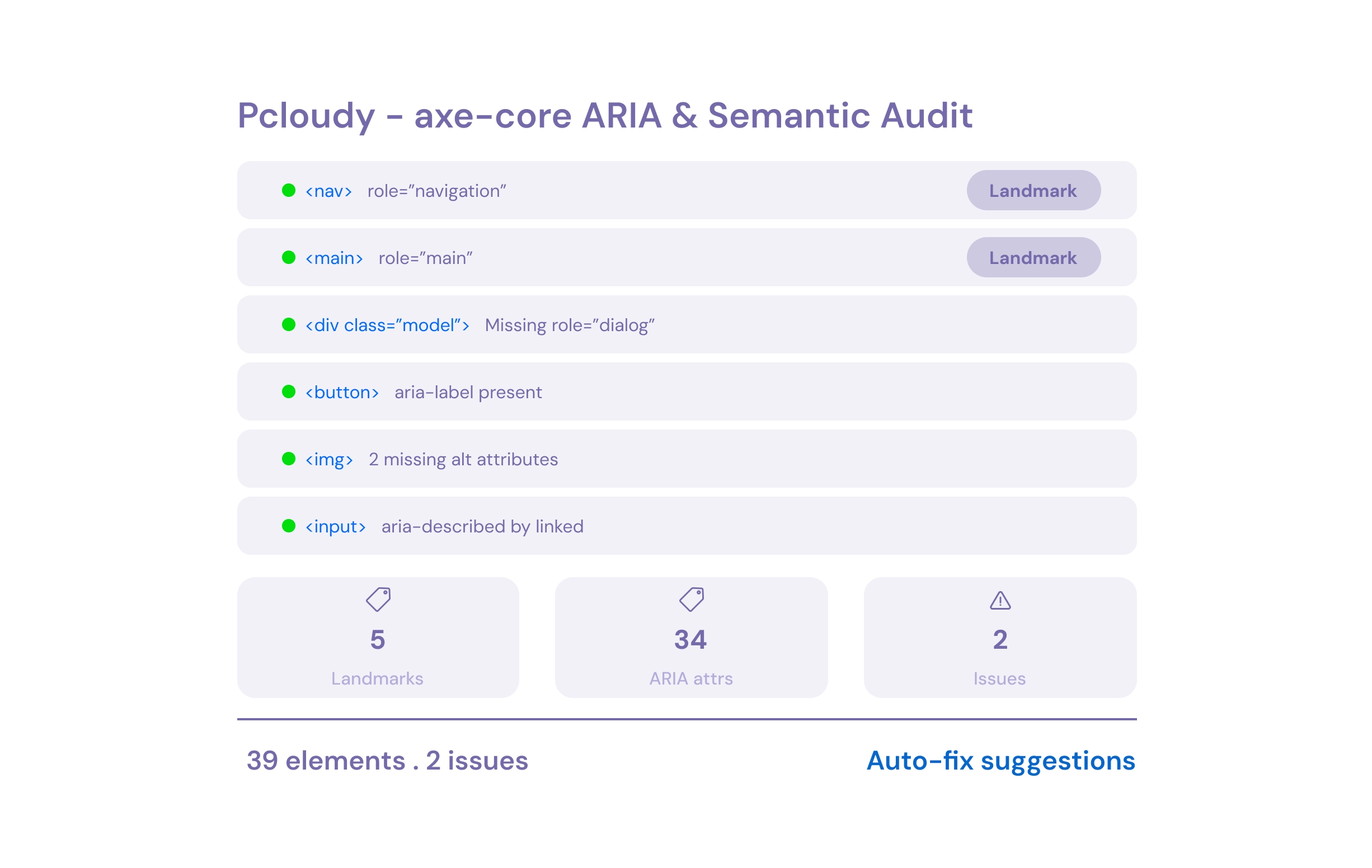
axe-core audits ARIA roles, landmarks, alt text, heading hierarchy, form labels & language attributes.

pcloudy.com/a11y/aria
UI Interaction

CI/CD Accessibility Gate

Block merges on WCAG violations in GitHub Actions, Jenkins & GitLab CI.

pcloudy.com/a11y/ci-cd
UI Interaction

Start Online Accessibility Testing Today

See how teams achieve WCAG and ADA compliance with axe-core automation and real-device screen reader testing — catching every violation before release.

Test Web Page Accessibility — Use Cases

From ADA compliance to mobile apps — automated accessibility testing for every team.

ADA Compliance

Meet ADA, Section 508 & EN 301 549 requirements automatically.

Screen Reader Compatibility

Validate VoiceOver (iOS) & TalkBack (Android) on real mobile devices.

Visual Accessibility

Auto-scan contrast, color usage & readability for low vision users.

Motor Disability Support

Verify keyboard operability, focus management & switch support.

PR Compliance Gates

Auto-attach reports to PRs and block non-compliant code.

Cross-Platform Testing

Consistent WCAG compliance across mobile, tablet & desktop.

Multilingual A11y

Validate RTL/LTR, screen readers & focus order across languages.

Component Audits

Scan design system components in isolation before they compound.

508 Compliance Reports

Generate VPAT-ready reports for governance and legal teams.

Pcloudy vs. Other Accessibility Testing Tools

See why teams choose Pcloudy over browser extensions and manual audits.

FeaturePcloudyManual AuditBrowser Extensions
axe-core WCAG 2.2 AutomationPartial
Real-Device Screen Reader Testing (Mobile)Partial
5,000+ Devices & 3,000+ Browsers
axe-core Contrast & ARIA AnalysisPartial
Mobile Accessibility TestingPartial
VoiceOver & TalkBack on Real HardwarePartial
CI/CD 508 Compliance Testing GatePartial
VPAT-Ready ADA Compliance Reports

Supports Every Accessibility Standard

Comprehensive coverage across global accessibility regulations and guidelines.
WebdriverIO

WCAG 2.2

WebdriverIO

ADA

WebdriverIO

Section 508

WebdriverIO

EN 301 549

WebdriverIO

AODA

WebdriverIO

EAA

WebdriverIO

VPAT

WebdriverIO

ARIA 1.2

Results Teams See with Pcloudy Accessibility Testing

Average outcomes reported by teams after adopting automated accessibility testing.

95%

WCAG Violations Caught Pre-Release

80%

Faster Accessibility Audits

12×

More Device Coverage

0

Accessibility Lawsuits After Adoption

Trusted by security-first teams

Oliver Learoyd Sameer Mehta Umme Farzana Siddhant Mishra Naresh Padmanabhan Dora Ciudad
"

"We're satisfied with Pcloudy's cloud platform, which offers real-time access to a wide range of devices and supports robust testing across configurations. Features like Dev Mode for locators improve coverage and save time. Their cutting-edge AI and automation tools keep us ahead, and the informative YouTube webinars are a great value-add. The support team is responsive, meets SLAs consistently, and provides timely updates with detailed planning and quick feedback."

— Oliver Learoyd, Senior Group QA & Release Manager, International Personal Finance Plc

"Implementing Pcloudy has greatly enhanced our test efficiency by boosting device availability and reducing interruptions. Its outstanding automation capabilities have streamlined our workflows, minimizing the need for manual intervention. We've seen a remarkable manyfold increase in device utilization, which has maximised our productivity. We've also benefited from substantially lower operational costs. We highly recommend Pcloudy to any organization aiming to optimize their mobile testing processes."

— Sameer Mehta, Senior Vice President, Jio

"Pcloudy has exceeded our expectations in every aspect. The team's dedication, technical expertise, and innovative support make them an indispensable partner for our mobile testing needs. I highly recommend their services to anyone seeking top-notch mobile device testing solutions."

— Umme Farzana, Sr. Program Manager, IBS

"The MTEcosystem architecture, with its inherent complexities, can be challenging to configure and maintain. Pcloudy has been instrumental in simplifying this by enabling multi-device setups using a single Mac mini and router, particularly effective for testing scenarios involving multiple iPads. The platform's intuitive UI also ensures quick onboarding with minimal training, and it has served as a dependable fallback when physical devices faced issues, helping us stay on track with delivery timelines."

— Siddhant Mishra, Test Lead – Automation, SLB

"Pcloudy were super fast in setting up the infrastructure with required devices and the technical support which Pcloudy provides is simply amazing."

— Naresh Padmanabhan, Practice Manager, Hexaware

"I am impressed with Pcloudy's cloud-based testing platform. It has improved our testing processes, enabling us to efficiently conduct parallel testing across a myriad of real devices without compromising on security. The flexibility, cost-effectiveness, and ease of use have significantly accelerated our product releases, making Pcloudy a valuable partner in our digital banking QA activities."

— Dora Ciudad, Head of QA, WiZink Bank

Accessibility Testing FAQ

Web accessibility testing evaluates websites and apps to ensure they are usable by people with disabilities. Pcloudy uses axe-core for automated web WCAG audits and real-device screen readers (VoiceOver & TalkBack) for mobile validation — covering contrast, keyboard, ARIA, and compliance across 5,000+ devices.
Run an axe-core WCAG scan to check all success criteria across browsers, validate with real screen readers on mobile devices, review the accessibility testing checklist WCAG requires, and integrate into your CI/CD pipeline. Pcloudy handles all four steps.
WCAG is the global standard with Levels A, AA, and AAA. ADA is US law requiring accessible digital experiences. Section 508 applies to US federal agencies and contractors. Pcloudy covers all three standards in a single scan.
Screen readers behave differently on real hardware compared to emulators. Real device testing captures the actual user experience — including touch interaction patterns, native announcement behavior, and platform-specific accessibility APIs.
axe-core automates 90+ WCAG rules covering color contrast ratios, ARIA roles and attributes, keyboard operability, alt text, heading hierarchy, form labels, landmark regions, language attributes, table structure, list semantics, and touch target sizes (WCAG 2.2).
Yes. Pcloudy integrates with Jenkins, GitHub Actions, GitLab CI, CircleCI, and more. Set WCAG compliance thresholds and automatically block merges when violations are detected.
Contrast ratios (4.5:1 for AA), keyboard operability, screen reader compatibility, heading hierarchy, alt text, focus management, ARIA landmarks, form labels, error identification, and skip navigation links.
Pcloudy uses the same axe-core engine that powers browser extensions — but runs it at scale across 5,000+ real devices and 3,000+ browser combos. Plus, it adds real screen reader testing on mobile devices that extensions simply can't do.
Yes. Test with VoiceOver and TalkBack on real Android and iOS devices, validate touch target sizes, and check platform-specific accessibility APIs.

Request a Demo

SSL Secured  |  GDPR Compliant  |  No Spam

By submitting this form, you agree to our Privacy Policy.

Trusted by 2000+ enterprises

Perfect Your App's Digital Experience with Pcloudy

Your 30 minutes demo includes:

  • Commitment free consultation on your top testing challenges
  • Live demo of our functional & app performance testing
  • Get a practical implementation plan with clear ROI milestones
  • Expert guidance on using AI to transform your testing efficiency

Trusted by global leaders
Client Logo
Client Logo
Client Logo
Client Logo
Client Logo
Client Logo